Keep the closing session in view
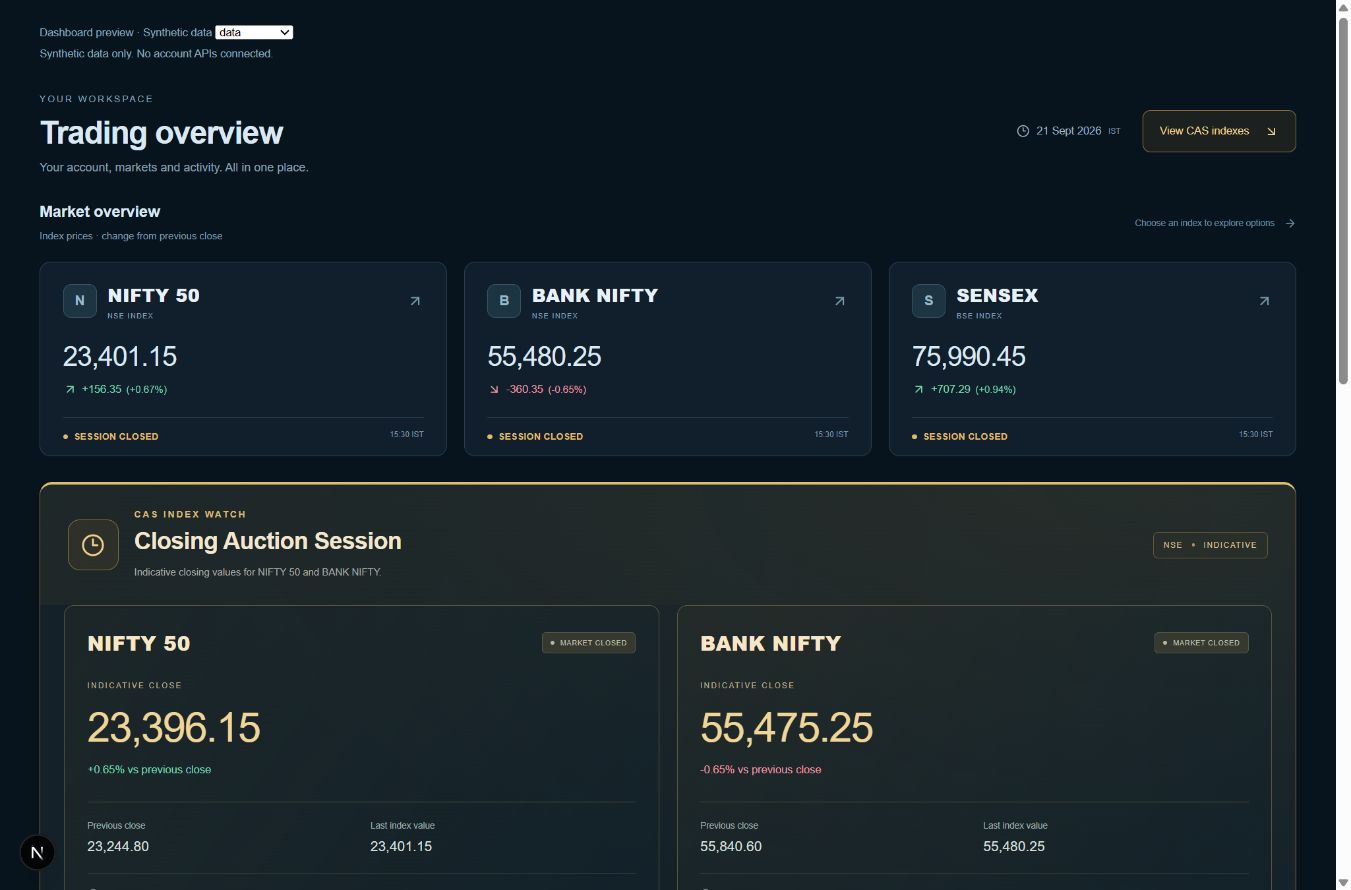
The dashboard gives CAS Index Watch its own section for NIFTY 50 and BANK NIFTY. It separates the indicative close from the previous close and last index value, so you can identify which number you are reading.
Compare the values
Each supported index shows its available indicative closing value and change against the previous close. The previous close and last index value appear alongside it as reference points. An indicative value can change while the auction is in progress.
Read the status and timestamp
Session labels and update times help explain when information was received. If the feed is unavailable, the interface may show the last available values or an unavailable state. Neither a running page clock nor a stale quote should be read as a fresh auction update.
Use it as context
CAS Index Watch is an information feature, not a prediction of the final close or an instruction to trade. The screenshot on this page uses synthetic values rendered by the actual dashboard components. It is not a live market feed.
Common questions
Is the indicative close final?+
No. An indicative closing value can change until the auction is complete. Read the session state and timestamp.
Does the CAS view include SENSEX?+
The current dedicated CAS view supports NIFTY 50 and BANK NIFTY. SENSEX appears in the wider market overview.