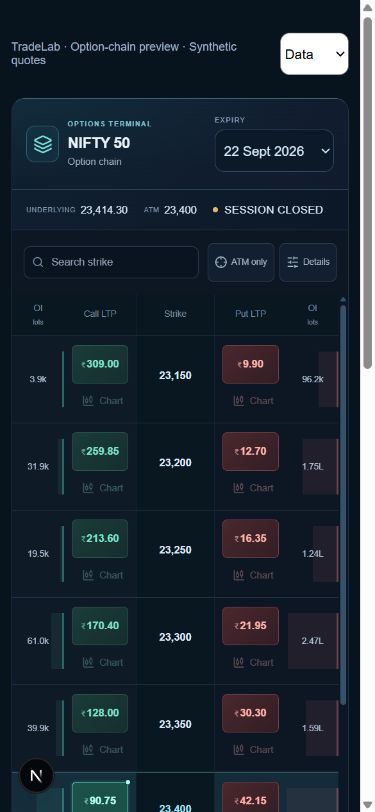
Find the contract
Select a market and available expiry, then compare the call and put sides by strike. Search for a strike or use the ATM filter to narrow the view. Premiums, open interest, volume and IV depend on the fields available from the data feed.
Open its chart
Where chart data is available, use the contract’s Chart control to view its premium history. The workspace includes timeframes, indicators and drawing tools. A chart and option-chain quote can have different timestamps; check the data status rather than assuming every value is current.
Plan and follow a paper position
The option chart offers paper-order controls and quantity selection. Entry, running P&L and protection levels help you follow a position. Changes to stop-loss or target orders need to be accepted by the server; a visual drag is not proof that an order modification was saved.
Read OI and PCR in context
The PCR & OI view brings together available call and put open-interest data and snapshot-based charts. Timeframe comparisons depend on recorded snapshots. These analytics describe available market data; they do not guarantee a price direction or a trading outcome.
Common questions
Why does a contract have no chart or quote?+
An instrument identifier, feed value or historical series may be unavailable. Use the status shown instead of treating a missing price as zero.
Are SL and target fills guaranteed?+
No. Trigger conditions and simulated execution depend on market data and order rules. The final execution price can differ from the trigger price.