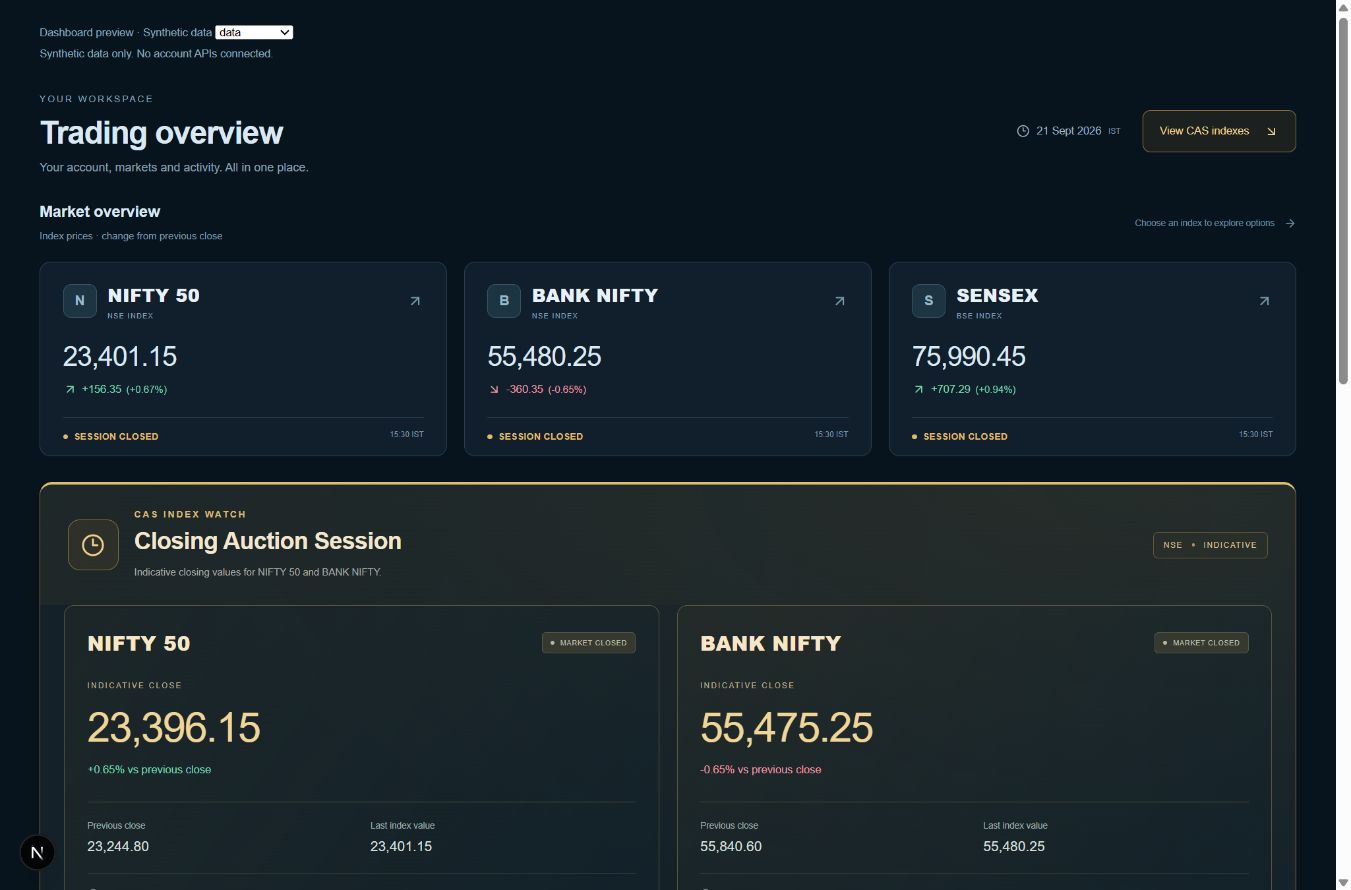
Start with a clear workspace
The dashboard brings together NIFTY 50, BANK NIFTY and SENSEX, your virtual account value, open positions and recent activity. Check the quote status before using a displayed price. A screen clock can keep ticking even when market quotes are delayed.
Choose a contract and plan the order
Open the option chain, choose an available expiry, strike and call or put, then set your quantity in valid lots. Market, pending and protective order controls are available in the trading workspace. Review the contract, quantity and order type before submitting a paper order.
Manage and review
Use Positions and Orders to follow the order state, average entry and P&L. A stop-loss or target level describes a condition for an order; it does not guarantee execution at that exact price. Review completed activity and costs in P&L before your next practice session.
Understand the simulation
Paper orders do not go to a real broker. Virtual funds cannot be withdrawn as cash. Simulated prices, execution, liquidity, slippage and charges can differ from real trading. Successful practice results do not predict future investment returns.
Common questions
Do I deposit trading money?+
Paper trading uses virtual capital. The account values shown are simulated balances, not a bank or brokerage account.
Can I practise when the market is closed?+
Use an available recorded session in Market Replay. Live paper-order availability and market-data status depend on the session and feed.