What paper trading does and does not do
A paper order uses a virtual balance and records a simulated outcome. It does not reach a broker or exchange, and the balance cannot be withdrawn. The exercise can help you learn the order workflow, but a simulated fill cannot reproduce every real spread, queue, gap, charge or liquidity condition.
Start with the available BANK NIFTY contract
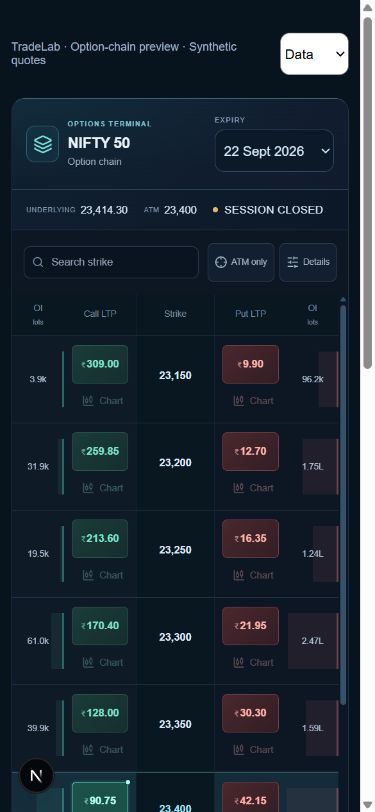
Open the Options Chain in TradeLab and choose BANK NIFTY. Select an expiry currently offered in the workspace, then read the strike and CE or PE side together. A BANK NIFTY index value is not an option premium. The same strike in different expiries represents different contracts.
Check the contract size instead of memorising it
Read the lot size shown for the selected contract and confirm the quantity in the order ticket. Exchange specifications can change, so this guide deliberately gives no current lot size or expiry-day promise. For a hypothetical 30-unit lot, two lots mean 60 units; use the live contract details for an actual practice order.
Write the question before placing a paper order
Choose one thing to observe, such as how the selected premium changes when the underlying moves or time passes. Record the contract, quote timestamp, assumed entry and planned exit condition. This is a learning plan, not a trading recommendation. Do not treat a rising index alone as a complete reason to buy a call.
Use a hypothetical risk calculation
If an illustrative bought option has an entry premium of ₹120, a planned stop at ₹90 and 60 units, the difference is ₹30 per unit or ₹1,800 before costs. A target at ₹180 implies ₹3,600 before costs. A stop level is a condition, not a guaranteed fill; costs and differences between simulated and real execution matter. Try your own numbers in the free risk–reward calculator.
Confirm what the simulator actually recorded
After submitting a paper order, open Orders and check its state. A pending order is not a filled position. If filled, check Positions for the contract, quantity and average entry premium. At the end, compare the plan with completed trades and P&L, including available charges. Save one observation for your next session.
Practise outside a live session carefully
Market Replay can help you revisit an available recorded session using a separate virtual account. The available dates and contracts depend on stored data. A moving page clock does not prove a quote is fresh. Check the mode and timestamps before interpreting a result.
Common questions
Is BANK NIFTY paper trading real trading?+
No. TradeLab paper orders use virtual funds and do not go to a broker or exchange.
Can I practise BANK NIFTY options without depositing money?+
The TradeLab practice account uses virtual funds. Read the current product terms and available features before signing up.
Why is a strike or expiry missing?+
Available contracts and data depend on the workspace feed or recorded replay session. Do not substitute a different contract without checking what changed.
Does a profitable paper trade prove the strategy works?+
No. A single result does not establish a repeatable process, and simulation cannot guarantee a real-world fill or return.
Try the numbers yourself
Explore a hypothetical scenario in our free calculator.
Risk & reward →Further reading
- NSE: Nifty Bank F&O product information ↗
- NSE: current derivatives contract specifications ↗
- SEBI Investor: understanding derivative risks ↗
References explain general concepts. They do not endorse TradeLab or its simulations.